The 7 best AI image generators in 2026
I tried dozens of AI image tools over the past year. These are the 7 I genuinely found useful and feel comfortable recommending, with notes on image quality, editing, text rendering, and pricing.
Updated: May 11, 2026
AI image generators have become good enough that the question is no longer "Can this make a nice picture?" Most of them can. The harder question is: can the tool make the image you actually asked for, edit it without ruining the rest of the scene, and save you time in a real workflow?
That is how I judged this list. I care less about cherry-picked gallery images and more about the boring things that matter when you are making blog headers, product mockups, social ads, thumbnails, and campaign concepts on a deadline.
How do AI image generators work?
AI image generators take a text prompt and convert it into an image using a diffusion model. You describe what you want, the model interprets it, and generates an image from noise by iteratively refining it toward your description.
The practical differences between models come down to how well they interpret complex prompts, how they handle edge cases like text in images, and how much control they give you over style and editing after the first output.
The best AI image generators at a glance
| Tool | Best for | Free access | Paid plan or usage starts at |
|---|---|---|---|
 ChatGPT ChatGPT | Best overall image generator for most people | Yes | $8/month |
 Gemini Gemini | Google workflows and conversational image editing | Yes | $7.99/month |
 Grok Grok | Fast social and trend-driven concepts | No | $30/month |
 Reve Reve | Prompt adherence and controlled creative edits | Yes | $7.99/month |
 Flux Flux | API workflows and production image systems | No | From about $0.014/image |
 Midjourney Midjourney | Artistic direction and high-impact visuals | No | $10/month |
 Ideogram Ideogram | Text-heavy images, posters, ads, and thumbnails | Yes | $20/month |
If you want to compare more options beyond this shortlist, browse the full AI image tools directory.
The 7 best AI image generators in 2026
These are the tools I would actually keep in a working creative stack. They are not interchangeable. Each one wins for a different job.
Illustration note: The hero-style images in each section were produced with the same test prompt where possible, so you can compare how each tool interprets one detailed brief: "A cinematic ultra realistic 16:9 photo of a man in a vintage yellow raincoat repairing a small robot under a flickering neon sign during heavy rain in a crowded night market in Tokyo. Wet pavement reflections, steam rising from nearby food stalls, realistic skin texture, detailed hands holding small tools, subtle facial expression, background pedestrians carrying umbrellas, shallow depth of field, documentary photography style, natural lighting, high detail, imperfect realism."
1. ChatGPT (GPT Image 2)
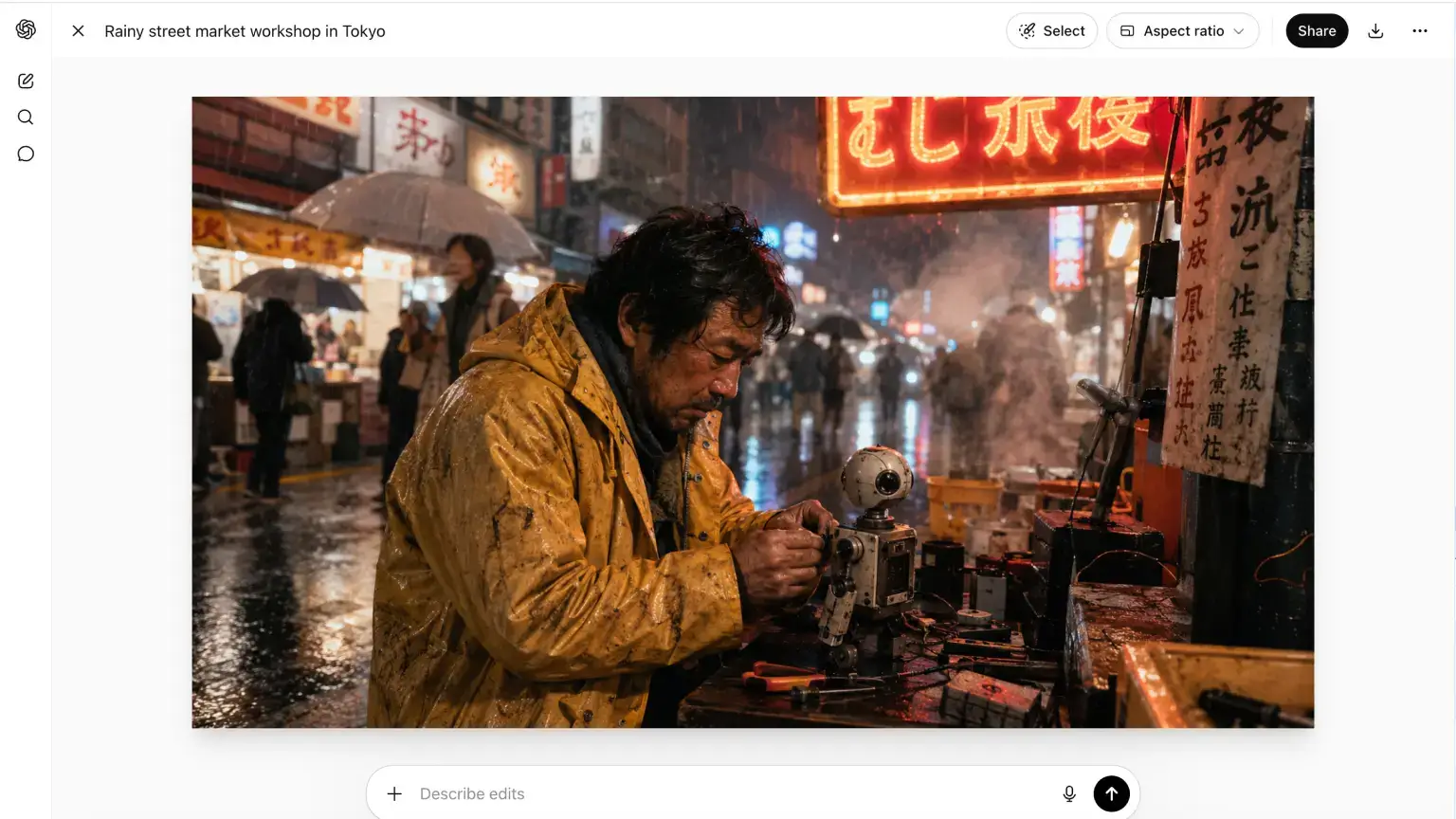
ChatGPT is the AI image generator I would recommend first to most people. It is not always the most configurable tool, but it has the best mix of image quality, prompt understanding, editing, text rendering, and everyday usability.
That recommendation also lines up with public benchmark data. As of May 2026, GPT Image 2 ranks #1 on Arena.ai's Text-to-Image Arena leaderboard, which is a useful signal that the model is not just convenient, but genuinely one of the strongest image generators available right now.
The reason it works so well is the chat loop. You can write a normal prompt, get an image, then say "keep the composition, but make the product larger and change the background to a clean studio wall." That sounds simple, but it matters a lot. Many image tools make you start over when one detail is wrong. ChatGPT usually lets you keep moving.
It is especially strong for blog headers, product visuals, social creatives, ad concepts, landing page illustrations, and quick mockups. I also like it when the brief is messy, because you can keep the strategy, copy, and image direction in the same thread instead of rebuilding context in a separate design tool.
ChatGPT has also become much better at practical details: readable text, relative positioning, reference-image transformations, and selective edits. I still check every output carefully, but I spend less time fighting the tool than I do with most image-first products.
The tradeoff is fine control. ChatGPT is built around conversation, not a big dashboard of sliders and switches. If you want to tweak every technical setting yourself or run the exact same setup hundreds of times in a row, a dedicated image app can feel more predictable. If you generate a lot of images, you can also hit plan limits sooner than you expect.
- Pros: best overall workflow, strong prompt understanding, good image editing, solid text rendering, easy to use with research and copy in the same thread.
- Cons: fewer technical controls than specialist tools, usage limits vary by plan, not the cheapest option if you only need image generation.
ChatGPT image pricing
OpenAI lists image generation across several ChatGPT plans, including Free, Go, Plus, and Pro. As of May 2026, ChatGPT Go starts at $8/month, Plus is the better fit for regular image work, and Pro is mainly for people who need much higher usage. Developers can also use image generation through the OpenAI Images API.
2. Gemini (Nano Banana 2)
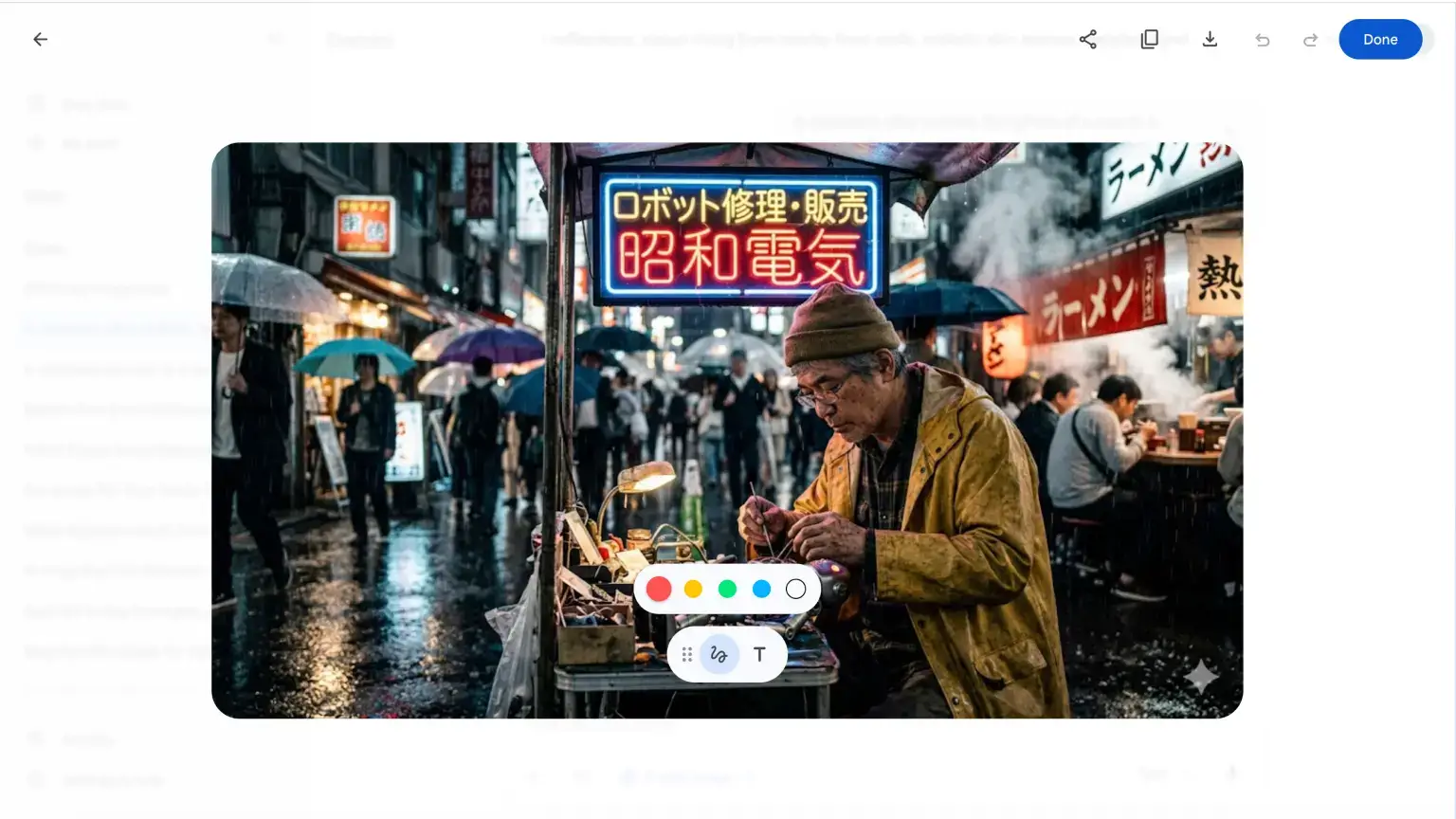
Gemini is the best choice if your work already lives in Google's ecosystem. It feels less like a standalone image app and more like image generation inside a broader assistant, which is useful when you are moving between research, writing, slides, docs, and visual drafts.
In my testing, Gemini is strongest for conversational editing. Object swaps, style changes, background changes, and "make this look more like this reference" requests are often quick. It is a good tool when you want to explore several directions without learning a separate image interface.
The model can produce excellent marketing visuals, but I trust it less than ChatGPT or Reve when the prompt gets crowded with small constraints. It may nail the overall scene while missing one specific instruction. That is not a dealbreaker for fast creative work, but it matters if you need exact layout, exact objects, or brand-specific composition.
Gemini outputs can also include visible AI labeling or watermarking depending on the surface and plan. That is fine for drafts, internal concepts, and many editorial workflows, but I would check the export carefully before using it in polished brand assets.
- Pros: strong conversational editing, good fit for Google-first workflows, easy to use for drafts and fast visual exploration.
- Cons: can miss details in complex prompts, export labeling may matter for brand work, limits and access vary by plan and region.
Gemini image pricing
Gemini image access is available on free and paid plans, but daily limits and feature access vary. As of May 2026, Google AI Plus starts at $7.99/month, with higher usage on Pro and Ultra plans. Developers should check Gemini API pricing, because app subscriptions and API pricing are separate.
3. Grok (Grok Imagine)
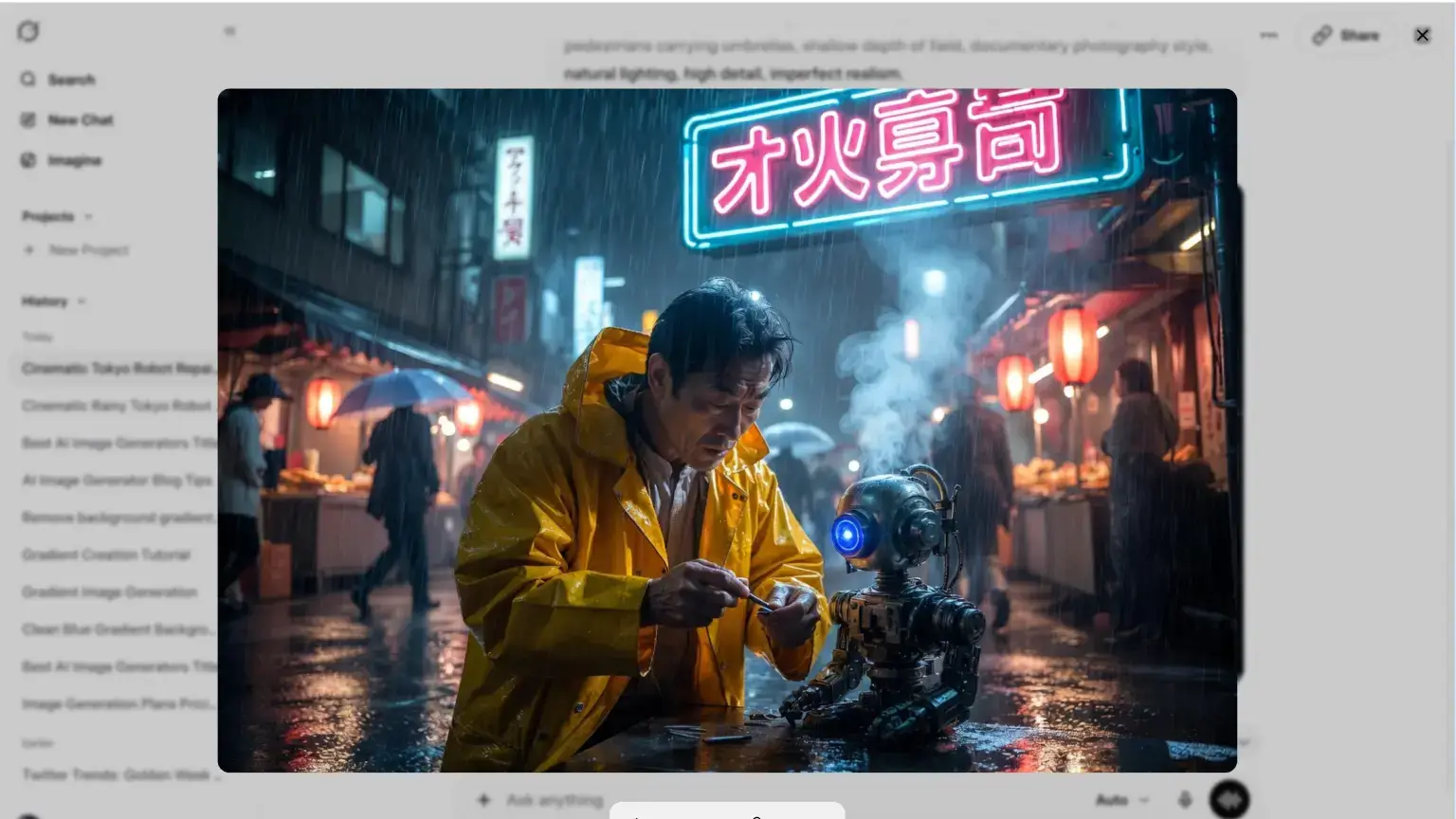
Grok Imagine is best for fast, social-first ideation. If your content depends on trends, memes, current events, or X-native culture, Grok gives you a short path from idea to visual.
I would not make Grok my main image generator for careful brand work. It is not the tool I reach for when I need strict layout control, consistent campaign art direction, or a polished product mockup. It is better as a quick concept machine: generate a few rough directions, find the strongest angle, then refine the final image somewhere else if needed.
The main advantage is speed. Grok sits close to the social conversation, and the image workflow is designed for quick prompting rather than detailed creative production. That is useful when being early matters more than being perfect.
For teams, the API angle is also worth watching. xAI's documentation lists Grok image generation models with per-image pricing, which makes it easier to estimate costs for simple automated workflows than token-based image pricing.
- Pros: fast trend-driven concepts, good fit for social content, simple natural-language workflow, API pricing is easy to reason about.
- Cons: less fine-grained control than dedicated image tools, not my first choice for polished brand assets, app access and limits depend on the Grok/X plan you use.
Grok image pricing
Image generation requires the paid plan "SuperGrok" which starts at $30/month. For developers, xAI's image generation documentation lists Grok image generation through the API, with current pricing on the xAI pricing page.
4. Reve (Reve Image)
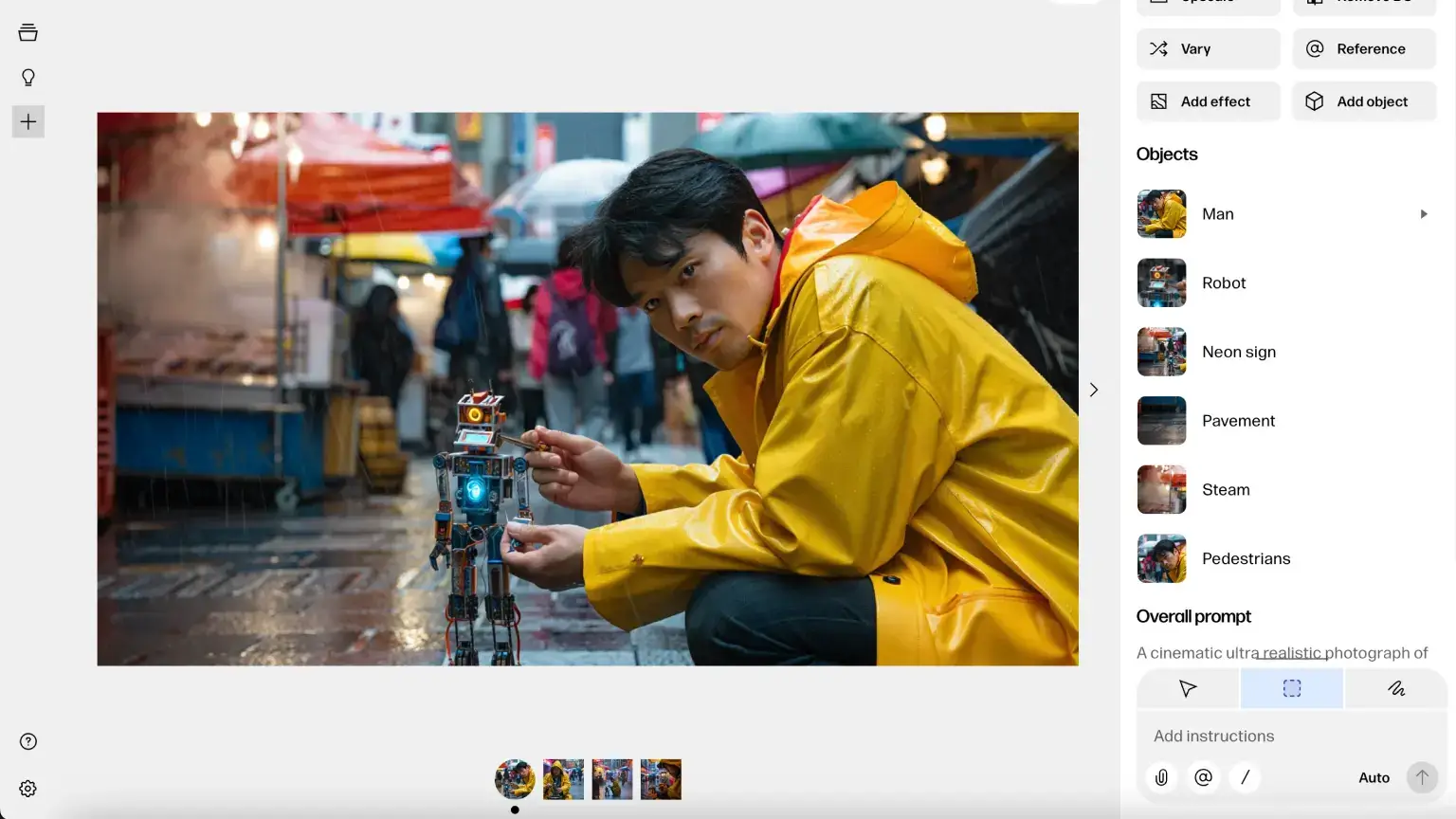
Reve is the tool I would test when prompt accuracy is your biggest frustration. Some image generators make beautiful images while quietly ignoring two or three things you asked for. Reve is built around a more literal relationship with the prompt, and that makes it useful for constrained creative work.
In plain English: Reve is good at giving you what you asked for. If your prompt says a person should hold a specific object, stand in a specific part of the frame, or keep a certain background detail, Reve is less likely to improvise the wrong thing.
That reliability matters most on prompts with many moving parts. A simple image prompt can look good almost anywhere now. A complex scene with position, mood, objects, text, lighting, and editing constraints is where weaker models start to drift.
I also like Reve for iterative edits. The workflow is less intimidating than a professional design tool, but it still gives you more control than a plain prompt box. It is not as established as Midjourney or ChatGPT, so the ecosystem is smaller, but the actual output quality is strong enough to justify testing.
- Pros: strong prompt adherence, useful editing workflow, good for detailed scenes and controlled revisions, easier to steer than many lightweight image tools.
- Cons: smaller ecosystem, fewer community examples, pricing and usage details can be less standardized than older platforms.
Reve image pricing
Free plan available with limited generations. Lite is available for $7.99/month and Pro is available for $19.99/month. Pro is currently positioned as much higher usage, but exact throughput is less explicit than old-style credit pricing. See Reve's pricing page.
5. Flux (FLUX.2)
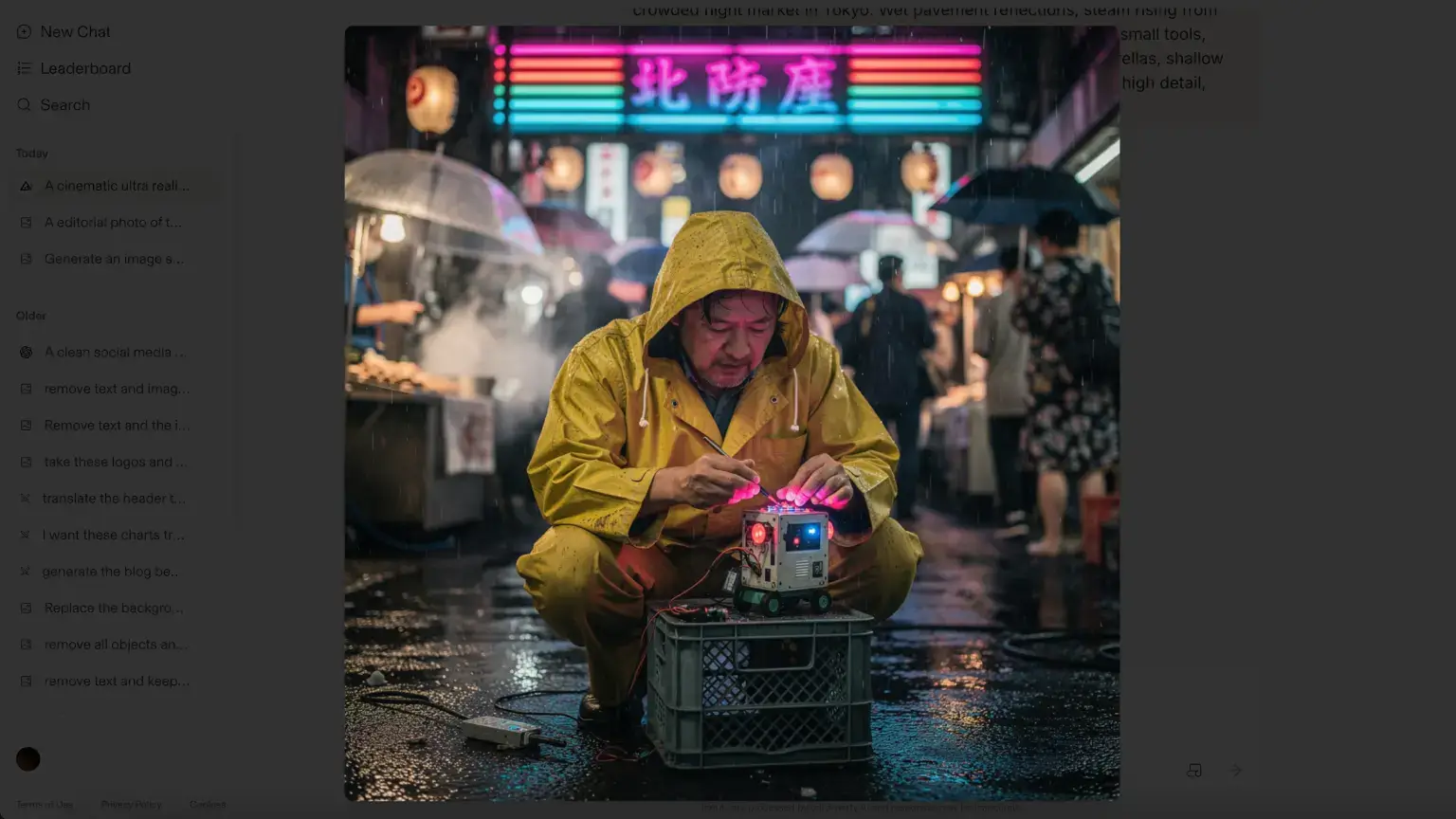
Flux is the best fit when you want production-level image generation instead of a simple app experience. The Black Forest Labs model family gives you different quality and speed options, and FLUX.2 is especially relevant for businesses building repeatable image systems.
I would not start here if you just need a few nice images for a blog post. ChatGPT, Gemini, Reve, or Ideogram will feel faster. Flux starts to make sense when you care about cost per output, API access, model selection, resolution, and consistent behavior at scale.
The FLUX.2 family includes options such as smaller "klein" models for lower-cost generation and higher-end models such as pro, max, and flex for better fidelity or more demanding use cases. That gives developers and technical marketers more room to tune the workflow instead of accepting one default model.
The practical downside is that you need to think more like an operator. Pricing depends on model choice and output size, and edit or reference-image workflows may cost differently than plain text-to-image generation. If you are using Flux for client work, read the exact pricing line for the action you plan to automate.
- Pros: strong output quality, excellent for API workflows, flexible model options, good cost control for high-volume systems.
- Cons: more technical than app-first tools, usage-based pricing needs monitoring, less convenient for casual one-off creative work.
Flux image pricing
Black Forest Labs uses credit-based pricing. As of May 2026, FLUX.2 pricing starts around $0.014 per image for lower-cost variants, with higher-quality models costing more based on model and output size. Check the Black Forest Labs pricing docs before estimating production spend.
6. Midjourney (V7 and V8 Alpha)
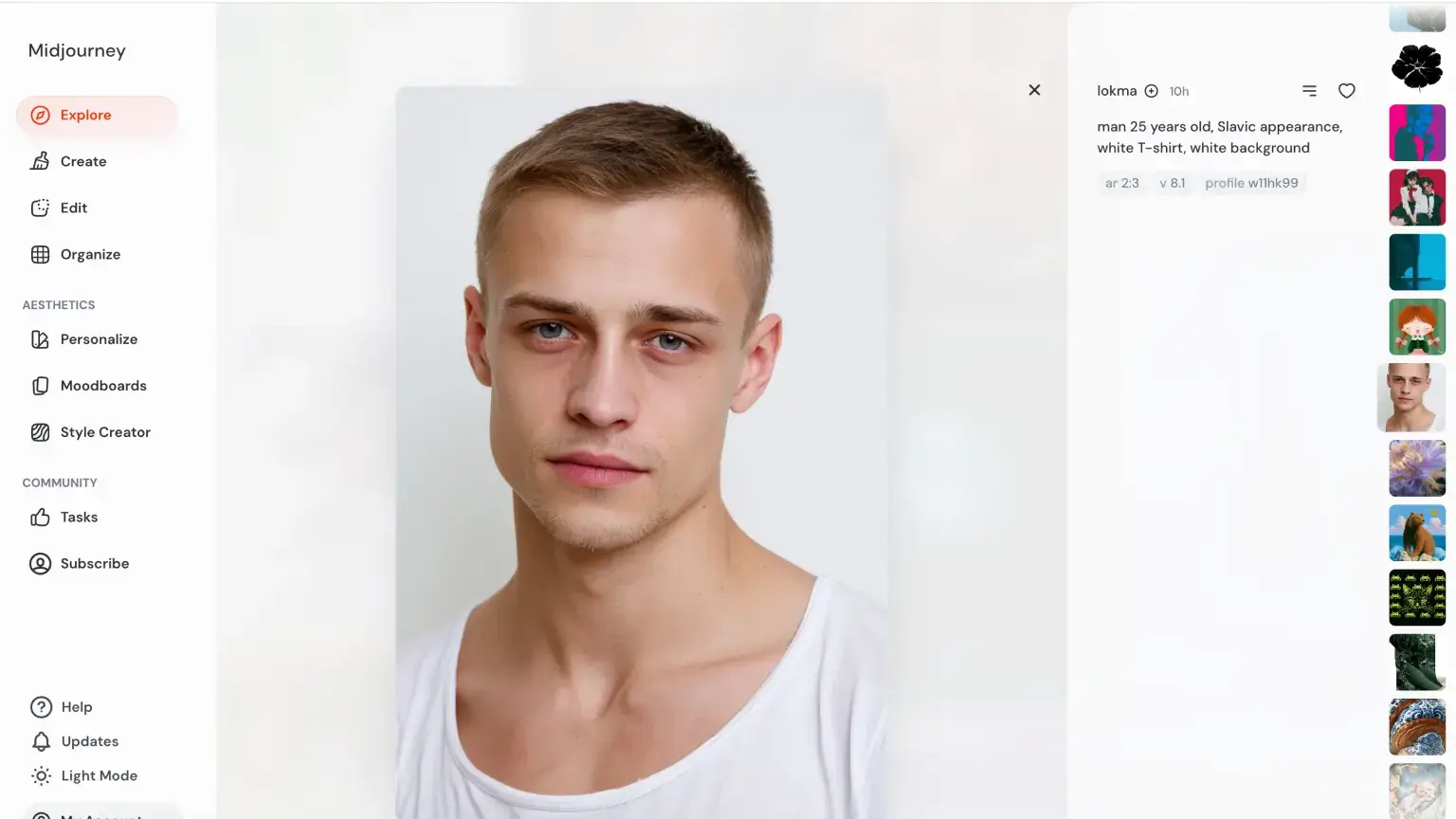
Image note: This Midjourney image is from Midjourney's Explore page rather than the same standardized prompt used for every other section. I kept it because it shows what Midjourney does best: mood, realism, and visual polish from a simple brief.
Midjourney is still the tool I would open first when the image needs to look expensive. It is excellent at mood, lighting, texture, composition, color, and visual drama. If your goal is a campaign moodboard, an editorial hero image, concept art, or a striking visual metaphor, Midjourney is hard to beat.
It is less reliable when the image needs to obey a strict layout. You can steer Midjourney with parameters, style references, moodboards, and prompt patterns, but it still often takes more iteration than ChatGPT, Reve, or Flux when you need exact object placement or business graphics with specific text.
The workflow is also different. Midjourney is prompt-forward rather than chat-first. You refine by varying, rerolling, upscaling, using references, and adjusting prompt language. Once you learn the rhythm, it is powerful. If you want to say "change only the object in the back-left corner" and keep everything else untouched, it can feel slower than a conversational editor.
One operational detail matters for businesses: privacy. Midjourney generations may be public depending on your plan and settings, so do not use it for unreleased campaigns, confidential product visuals, or client-sensitive concepts until you have checked the current visibility rules.
- Pros: outstanding visual quality, strong art direction, large creative community, excellent style and mood control.
- Cons: paid only most of the time, weaker for precise text and strict layouts, privacy settings require attention.
Midjourney image pricing
Midjourney's official plan comparison lists Basic at $10/month, Standard at $30/month, Pro at $60/month, and Mega at $120/month. V7 is the stable baseline for many users, while V8 Alpha is available for testing with different cost and feature tradeoffs.
7. Ideogram (Ideogram 3.0)
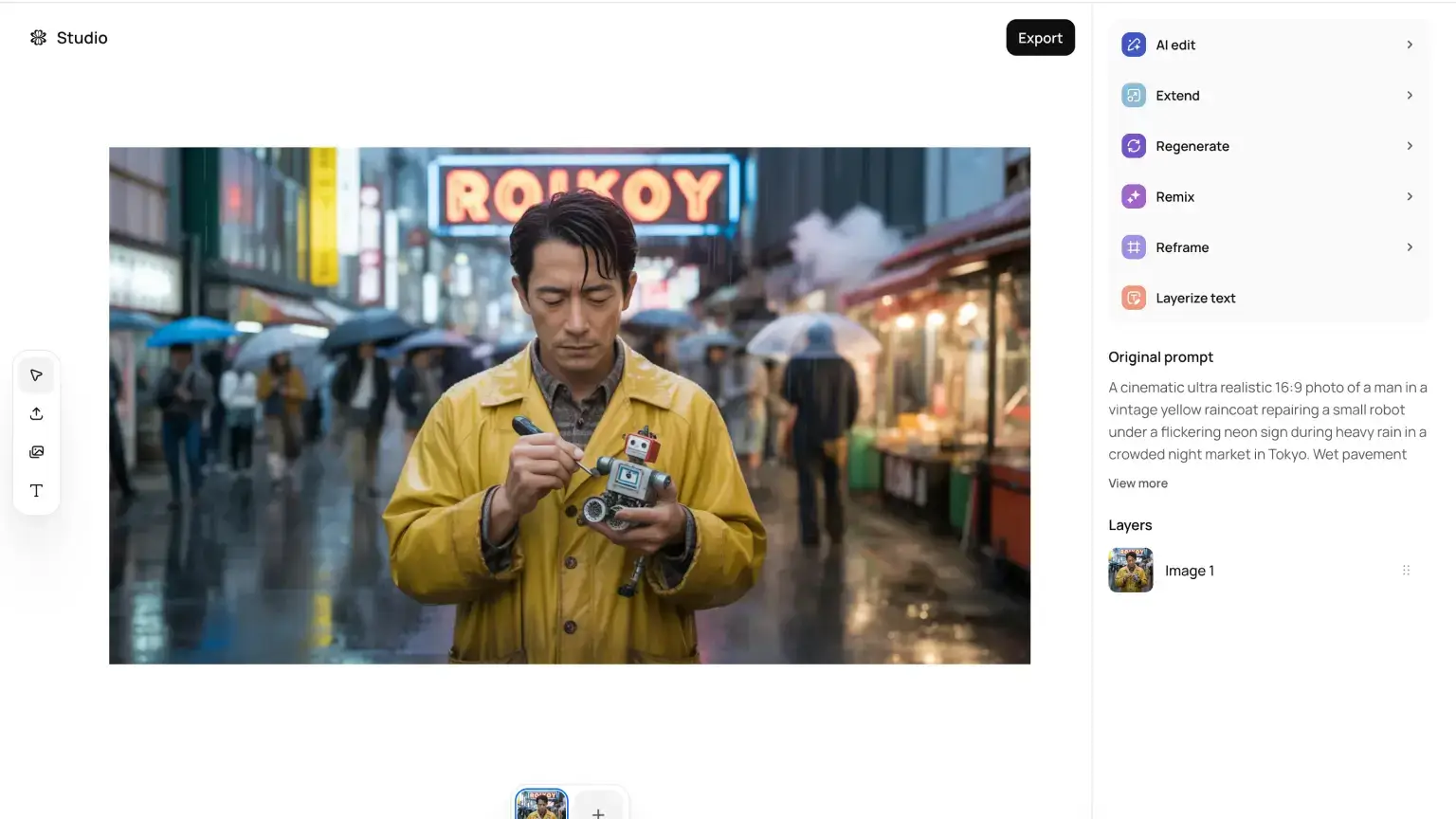
Ideogram is the best AI image generator for text-heavy visuals. If you make ads, YouTube thumbnails, event posters, pricing cards, social graphics, or product visuals with words inside the image, this should be on your shortlist.
Text rendering still breaks surprisingly often in AI image tools. A model can create a beautiful design and then ruin it with one misspelled word. Ideogram reduces that cleanup. It is not perfect, especially with long or formal copy, but short headlines usually need fewer retries here than they do elsewhere.
Ideogram 3.0 also feels more mature than earlier versions. It is no longer just "the text tool." The images look better, the style controls are more useful, and the editing workflow is strong enough for everyday marketing assets.
I would use Ideogram for anything where the words are part of the design. For pure cinematic art, I would still reach for Midjourney. For text plus design control, Ideogram is the safer bet.
- Pros: excellent text rendering, strong graphic design output, useful editing and reference workflows, free plan for testing.
- Cons: paid plans are needed for serious volume, private generation may require the right plan, long text still needs manual proofreading.
Ideogram image pricing
Ideogram has a free tier for testing. As of May 2026, Ideogram's paid plans start with Plus at $20/month, with higher tiers for more priority credits and team use.
Two all-in-one platforms worth knowing
Sometimes the best AI image workflow is not one model. It is one workspace where you can move between models, formats, edits, and brand assets without opening five tabs.
The two I would look at are Magnific, formerly Freepik, and Galaxy.ai. Both are useful when you want access to multiple models and editing tools in one place instead of committing to a single generator.
Use Magnific if your work is closer to creative production: image, video, and audio generation, brand assets, collaboration, polishing, and handoff-ready creative. Use Galaxy.ai if your main goal is fast model comparison and breadth: run the same prompt across different image models, test editors like background removal or enhancement, and keep the output that works best.
What to check before publishing AI images
AI images are easy to make and easy to misuse. Before you publish them in a campaign, client project, or product page, check the boring details.
- Commercial rights: Most major tools allow commercial use on paid plans, but the exact rights, attribution rules, and restrictions vary. Read the terms for the tool and plan you are using.
- Privacy: Some tools make generations public by default or use free-plan outputs to improve models. Do not put confidential product launches, client work, or sensitive campaign ideas into a public workflow.
- Text accuracy: Always proofread generated text, even from strong tools like ChatGPT and Ideogram. Names, prices, dates, and disclaimers are easy to get wrong.
- Likeness and people: Be careful with photorealistic faces, celebrities, political content, medical content, and anything that could imply endorsement.
- Copyright risk: Prompt-only outputs may not receive the same legal treatment as human-created work in every jurisdiction. The more you edit, combine, and transform the image into original design work, the safer the practical position usually becomes.
- Training-data concerns: Some brands need cleaner provenance because of contracts, enterprise policy, or client requirements. In those cases, choose providers with clearer licensing and enterprise protections.
Final verdict: which AI image generator should you choose?
Start with ChatGPT if you want the best all-around AI image generator. It is the easiest recommendation because it works well for the most common marketing and content workflows.
Choose Midjourney if visual style matters more than strict prompt precision.
Choose Ideogram if your images need readable text.
Choose Reve if prompt adherence is your biggest pain point.
Choose Flux if you are building API workflows or generating images at scale.
Use Gemini if you already work inside Google's AI ecosystem and want fast conversational editing. Use Grok when you need quick social concepts tied to current trends.
Most people do not need all seven. Pick one primary image generator and one backup for your weak spot. For me, that usually means ChatGPT as the default, Ideogram for text-heavy assets, and Midjourney when I need a visual that feels more cinematic.
Related resources: